Table of Contents
If your ecommerce store depends on paid ads to drive revenue, you’re renting traffic. The moment the budget stops, so do the visitors.
Collection pages are one of the best organic assets a store can have. When built properly, they rank for high-intent searches and bring in buyers without paying per click. Most stores leave this completely untouched.
This guide covers exactly what it takes to get collection pages ranking and generating consistent organic growth.
📌 TL;DR:
- Collection pages rank for broad, high-intent searches that product pages can’t compete for
- Thin content is the most common reason they fail to rank – a short intro, FAQs, and clean structure fix most of it
- Internal linking from navigation and blog content signals authority to Google
- CollectionPage + ItemList schema helps search engines understand your page and can unlock rich results
- Faceted navigation, if left unchecked, creates thousands of duplicate URLs and burns crawl budget
Why Are Collection Pages So Important for Ecommerce SEO?
Collection pages are where most of your organic traffic potential sits. A product page might rank for one specific item. A collection page can rank for broader terms that thousands more people are searching every month.
Think about how buyers actually search. Someone looking for a gift isn’t typing an exact product name. They’re searching “mens leather wallets” or “sustainable skincare gifts.” Those searches land on collection pages, not product pages.
Research from Nosto found that up to 70% of online sales start on category or collection pages. They capture shoppers who know what type of product they want but haven’t decided on a specific item yet. That’s a high-intent audience.
The stronger your collection pages, the less exposed you are to the volatility of paid campaigns. They build traffic that compounds over time.
What Makes a Collection Page Good for SEO?
A well-optimised collection page gives Google enough context to understand what it’s about, matches the intent of the person searching, and makes it easy for them to browse and buy.
Most collection pages fail on the first point. A title, a product grid, and pagination isn’t enough for Google to rank a page for competitive terms in 2026.
Here’s what a properly optimised collection page needs:
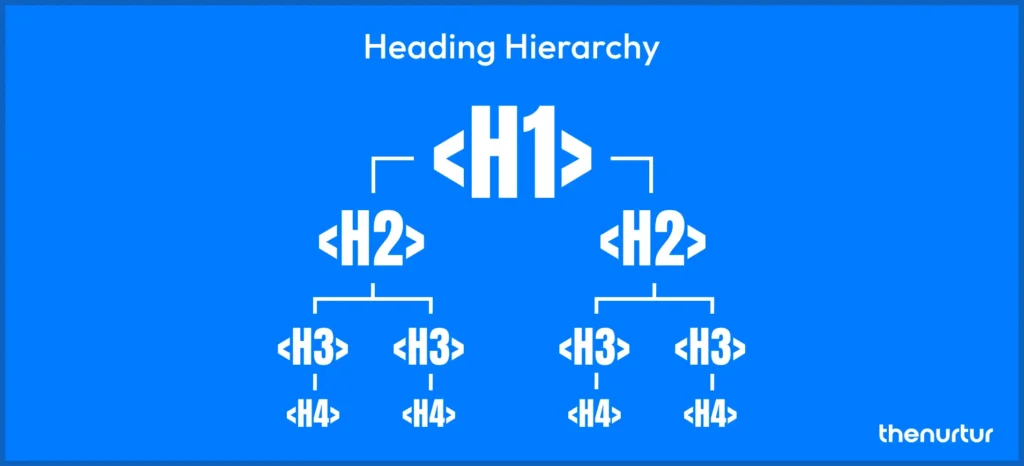
- A descriptive H1 with the primary keyword for that category
- A short intro paragraph (50 to 150 words) placed above the product grid – signals context to Google without blocking the shopper
- Optimised title tag and meta description – treat the search result like a shop window, not a box to tick
- A clean, descriptive URL (e.g. /collections/mens-leather-wallets, not /collections/cat1234)
- FAQ content or a short buying guide placed below the product grid, targeting question-based searches
- Compressed images with descriptive alt text on every product
The content doesn’t need to be long. It needs to answer the questions a buyer has before they start browsing.
How Should You Structure Content on a Collection Page?
The content on a collection page needs to be placed in the right order. A wall of text above the product grid pushes products down the page, which hurts both user experience and conversions.
The structure that works is a two-part split.
A short intro section sits above the product grid. Two or three sentences that tell Google what the page is about and give the shopper context. Keyword-relevant, useful, nothing more.
The longer content – FAQs, buying guidance, comparisons, category tips – sits below the products. A shopper who already knows what they want gets straight to the grid. One who needs help will scroll for it.
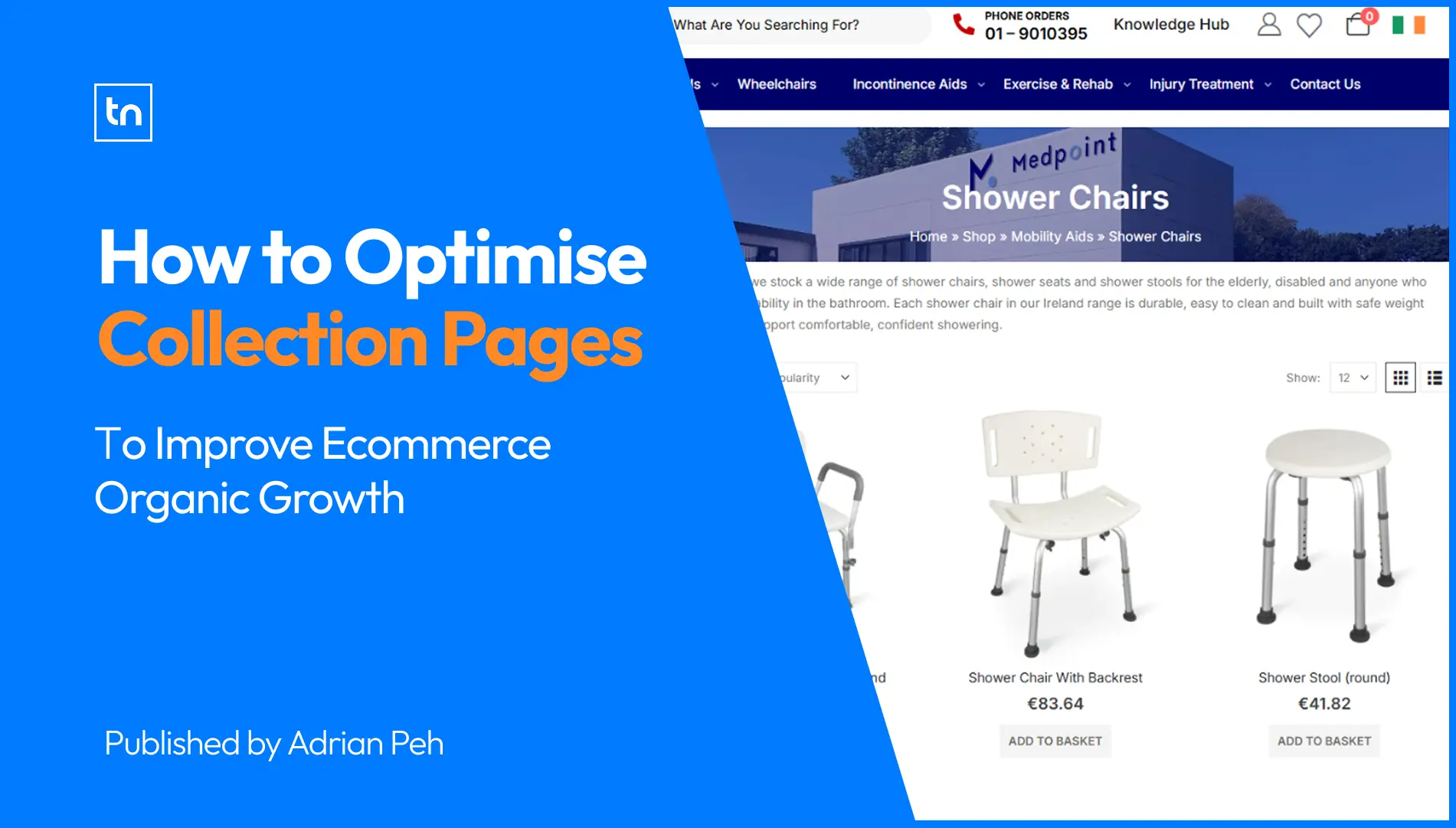
Brands like Fjallraven do this well. Short intro copy above the products, a clean grid in the middle, and supporting content at the bottom for those who want it. The page serves both Google and the shopper without getting in either’s way.
How Does Internal Linking Affect Collection Page Rankings?
Internal linking is one of the highest-impact things you can do for collection page SEO, and most stores barely think about it. A collection page with no incoming links from navigation, blog posts, or product pages will struggle to rank regardless of how well the on-page content is written.
Google’s John Mueller has said directly that linking to a category page from the products within it helps Google understand that page is important. The same logic applies in reverse: blog content that links to relevant collection pages passes authority and reinforces topical relevance.
A solid internal linking structure for collection pages looks like this:
- Main navigation links to top-level collection pages
- Sub-category pages link back up to the parent collection
- Product pages use breadcrumb navigation that points back to the collection
- Blog posts and buying guides link to collection pages using descriptive anchor text, not “click here”
Stores that invest in ecommerce SEO services and build this kind of architecture consistently outrank those that treat each page as standalone.
What Technical Issues Hurt Collection Page SEO?
Technical problems can quietly kill collection page performance even when the content is solid. The most common one is faceted navigation.
Faceted navigation is the filter system shoppers use to sort by colour, size, price, or brand. It’s useful for users, but if every filter combination generates a new URL, you can end up with thousands of near-duplicate pages. Google crawls those low-value pages instead of the ones you want indexed.
The fix is to control which filter combinations are crawlable. Combinations with real search demand can be indexed. Everything else should be blocked via robots.txt or canonicalised back to the main collection page.
Other technical issues worth auditing:
- Pagination – pages like /collection?page=2 should generally be canonicalised to the first page unless they serve a distinct search purpose
- Duplicate content – reusing copy across similar collection pages or pulling in manufacturer descriptions gives Google a reason to de-prioritise your version
- Page speed – uncompressed images in large product grids are one of the most common speed issues on collection pages, particularly on mobile
- Crawl depth – keep collection pages within three clicks of the homepage; anything buried deeper may not be crawled frequently enough to rank well
Stores on WooCommerce often run into these issues as the catalogue grows. A structured WooCommerce SEO service audit can surface exactly what’s dragging performance before you spend months on content work that Google can’t properly index.
Does Schema Markup Help Collection Pages Rank?
Schema markup doesn’t directly improve rankings. What it does is help search engines understand your page structure clearly, which can unlock rich results and improve click-through rates from the search page.
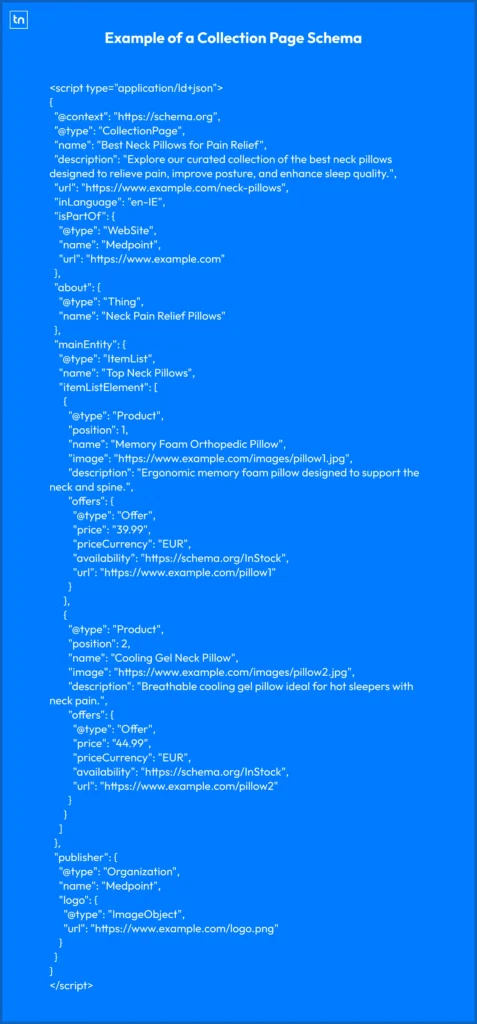
For collection pages, the recommended approach uses three layers:
- CollectionPage – identifies the page as a product listing
- ItemList – defines the products on that page as a structured list
- Product – provides item-level details like price, rating, and availability
When implemented correctly, this can qualify your pages for image carousels and enhanced snippets that stand out against plain text results in the SERPs.
BreadcrumbList schema is also worth adding. It reinforces your site hierarchy and can surface navigational breadcrumbs directly in your search snippet, which increases click-through rate.
This matters beyond Google too. AI tools like ChatGPT, Perplexity, and Google’s AI Overviews pull structured data when generating product recommendations. Pages with complete, accurate schema are more likely to get cited. The Nurtur builds this into the collection page work through the AI SEO service as standard.
How Do You Build Authority for Collection Pages?
On-page work gets your collection pages in order. Authority is what gets them ranking for competitive terms and holding those positions over time.
There are two main ways to build authority: internal links, covered above, and external backlinks pointing directly to those pages.
Most link building in Shopify ecommerce is aimed at the homepage. Collection pages rarely get direct links, which is exactly why earning even a small number of quality links to your top collection pages can move rankings meaningfully. A few links from relevant publications, supplier pages, or editorial roundups pointing to your “women’s running shoes” collection will have more impact than the same links pointing to your homepage.
Content is the most natural way to earn those links. Buying guides, product comparisons, and category-specific articles give other sites a reason to link directly to your collection pages. When someone publishes “10 best gifts for runners,” they link to category pages, not individual products.
Pairing that content strategy with solid collection page optimisation is where the compounding effect happens. Ecommerce stores that build this consistently through ecommerce SEO services generate organic revenue that paid channels simply can’t replicate.
Conclusion
Collection pages are your highest-value organic landing pages. They capture broad, high-intent searches and bring buyers into your store without a cost per click.
Getting them right means clean content structure, solid technical foundations, a proper internal linking setup, and schema markup that helps both Google and AI search tools understand what you sell. None of these are complicated. Most stores just haven’t done them.
If your collection pages are thin, poorly linked, or technically broken, you’re handing that traffic to competitors who have. The good news is it’s fixable, and the results tend to stick.
FAQs
A collection page groups related products and ranks for broader search terms like “men’s running shoes.” A product page targets a specific item. Collection pages typically attract higher search volumes because they match how shoppers browse before they’ve decided on an exact product.
There’s no fixed word count. A short intro paragraph above the product grid (50 to 150 words) signals context to Google. Additional FAQ or buying guide content below the products serves shoppers who need help deciding. Add content that earns its place, not content that pads the page.
The most common reasons are thin content, poor internal linking, and technical issues like faceted navigation creating duplicate URLs. If your collection pages have no descriptive copy, no incoming links from navigation or blog content, and no schema markup, Google has little reason to rank them above a competitor who has addressed all three.
Use CollectionPage as the parent type, with ItemList as the main entity containing individual Product items. Add BreadcrumbList schema to reinforce your site hierarchy. Avoid using a standalone Product schema on the collection page itself – that’s intended for individual product pages only.
Internal links pass authority and signal relevance. When your homepage, blog posts, product pages, and navigation all link to a collection page with descriptive anchor text, Google treats that page as an authoritative hub for the topic. Collection pages with strong internal link profiles consistently outrank identical pages with no links pointing to them.